Responsive Design
4-5 min
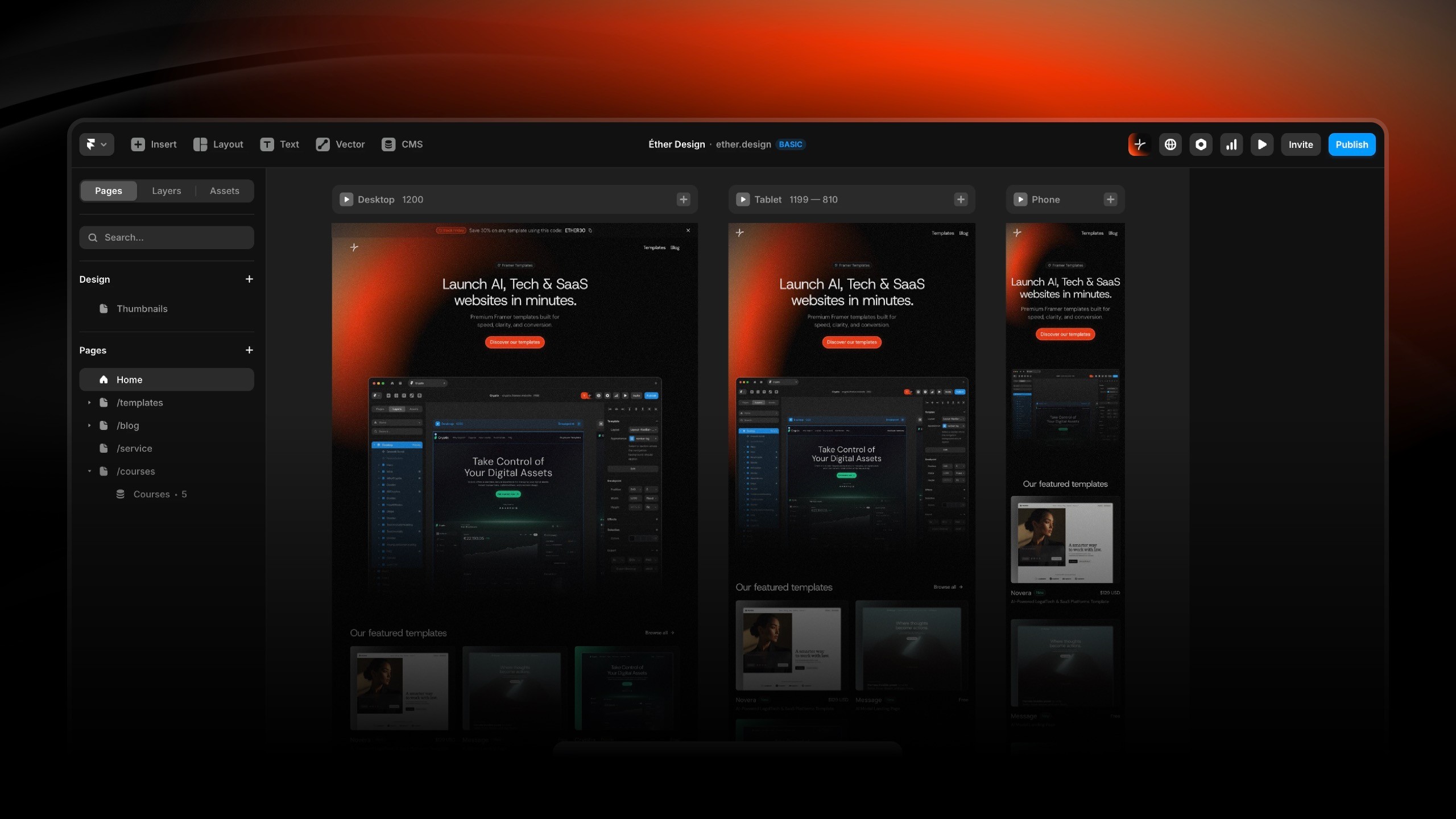
Understanding Breakpoints
Framer uses three primary breakpoints:
Desktop: 1200px and above (default design view)
Tablet: 810px - 1199px
Mobile: Below 810px
Your template is pre-configured for all breakpoints, but content changes may require adjustments.
Testing Responsive Behavior
Preview mode testing:
Click Preview button
Resize browser window to test fluid behavior or click device dropdown to switch between Desktop/Tablet/Mobile views
Canvas updates to show that breakpoint
Test all major sections at each breakpoint
Check these elements:
Navigation menu (collapses to hamburger on mobile)
Text sizes (readable on small screens)
Images (proper scaling, no distortion)
Buttons (touch-friendly sizing on mobile)
Spacing (appropriate for screen size)
Mobile-Specific Adjustments
When to override mobile settings:
Text too small or too large on mobile
Images crop incorrectly
Sections too cramped or too spacious
Multi-column layouts need to stack
How to make mobile overrides:
Go to Mobile frame (far right)
Select the element to adjust
Modify properties in Right Panel
Changes apply only to mobile breakpoint (as an override)
Desktop and tablet remain unchanged
Common mobile adjustments:
Font size: Title are reduced by 10-20% from desktop
Padding: Reduce to 40-60% of desktop values
Columns: Force stack direction (vertical)
Image height: Adjust for mobile aspect ratios
💡 Reset override: Look for a property highlighted in blue in the properties Panel. This indicates the property has an override. Click on the label and "Reset override" to remove unwanted changes or mistakes.
Navigation Menu Behavior
Your template includes responsive navigation:
Desktop: Full horizontal menu
Tablet/Mobile: Hamburger menu (≡)
Verify menu functionality:
Switch to mobile view
Locate hamburger icon (usually top right)
Click to open menu overlay
Verify all links are accessible
Test close functionality
Customizing mobile menu:
Menu items: Edit in the navigation component
Common Responsive Issues
Issue: Text overflows container on mobile
Fix: Reduce font size in mobile view, or increase container width
Issue: Images stretched or pixelated
Fix: Check image Fit setting (use "Fill" or "Fit"), verify image resolution is 2x display size
Issue: Buttons too small for touch
Fix: Minimum 44x44px touch target, increase padding in mobile view
Issue: Horizontal scroll appears on mobile
Fix: Check for fixed-width elements exceeding screen width, use percentage widths instead
Issue: Sections stack incorrectly
Fix: Verify parent uses Stack layout with Direction: Vertical on mobile